


Mobizen Recorder for Samsung
3.827.81K Reviews
App Specs
- Version
- 3.10.0.32
- Updated On
- License
- Free
- Downloads
- 10,000,000+
- Developer
- MOBIZEN
- Categories
- Video Players & Editors
- Platform
- Android
Screenshots

 Analysis by AppCompare
I spent time with Mobizen Recorder for Samsung as a practical screen-recording and editing tool, and my overall impression is that it is most useful when you want several related tasks in one place. It can record the screen, create GIFs, let you draw over what is happening, and provide basic editing tools without making you move immediately to a separate video editor. That combination gives it a clear everyday purpose, especially for explaining something on a phone.
What makes this app worth considering is not simply that it records video. Android devices can already offer built-in screen recording, and many gallery apps include basic trimming. Mobizen Recorder tries to cover the space between those built-in tools and a more involved editor. I found that approach convenient for quick demonstrations, short tutorials, app walkthroughs, and visual messages where the recording itself needs a little explanation.
It is a free app from MOBIZEN in the video players and editors category, with optional in-app purchases ranging from $0.99 to $43.99 per item. Its Everyone age rating makes it approachable for a broad audience, while its current version is 3.10.0.32 and it supports Android from version 4.4 onward. The app has reached over 10 million installs, with an average rating of 3.8 from around 1.1 million ratings and roughly 28 thousand reviews. Those figures suggest a widely used tool, but they also tell me to keep expectations realistic: it is popular, not universally loved.
What I looked at before trusting it with recordings
Screen recording is more sensitive than ordinary photo editing because the captured material can include messages, account screens, notifications, passwords, private conversations, or documents. I therefore judge Mobizen Recorder less by its feature list and more by the moments when a user has to make a choice. The important question is not whether an app can produce a video; it is whether I can notice what is being captured and decide when to stop, edit, save, or share it.
My first practical rule is simple: I would prepare the phone before recording rather than relying on the app to protect me from everything visible on screen. I would close private chats, hide notification previews, remove sensitive shortcuts from view, and open the exact screen I want to demonstrate. This is especially important when recording a banking app, a work account, a family conversation, or any service where a notification could reveal more than intended.
The app’s appeal is strongest in controlled situations. If I am showing a relative how to change a phone setting, recording a short software tutorial, or capturing a game moment for later trimming, the all-in-one design saves time. I can record, mark an area visually, make a short edit, and prepare the result without building a workflow across several unrelated apps.
That convenience should not be confused with complete privacy protection. A recorder sees the screen because that is its job. I would not start a long recording and then assume that private information appearing halfway through will somehow be excluded. The safest habit is to treat every visible frame as potentially part of the final file until I have reviewed it carefully.
Worth Reading Before You Choose

EA SPORTS FC Mobile 26 Is a Bigger Football Game, but It Takes Time

Flipboard Shows What News Apps Must Do Beyond the Feed

Switching to Android Auto Means Rethinking Your Driving Routine

Google Calendar Makes a Crowded Week Easier to Manage

Ludo King Makes the Most of the Minutes Between Plans

Baby Panda World Brings Quick Play to Modern Phones, but Its Game Library Feels Busy
The useful controls are the ones that reduce extra steps
One of the better ideas here is the combination of recording and drawing. A spoken explanation can be easy to miss, particularly in a silent tutorial, but a quick mark on the screen can direct attention to a button or menu. I found this more useful than adding decorative effects. For troubleshooting, the ability to point at the exact control being discussed can make a short clip much clearer.
GIF creation is another practical option rather than a feature I would use for every project. A GIF can be more suitable than a full video when I need to show a small motion, such as where a setting is located or how a gesture works. The trade-off is that a GIF is not automatically the best format for clarity or file size. I would reserve it for short, repeatable actions and use a normal recording when sound, longer context, or better control is important.
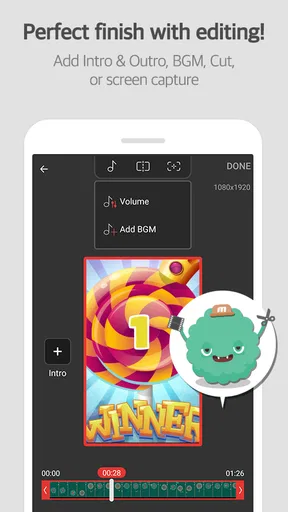
The editing side is valuable mainly because it follows the recording step. If I capture too much at the beginning or end, a quick trim can make the result feel intentional instead of raw. This matters in everyday use: when I record instructions for someone, I do not want them to watch the preparation, pauses, and accidental navigation before reaching the useful part.
My strongest workflow tip is to record in small sections rather than trying to create one perfect take. A short clip showing one task is easier to inspect for private details, easier to edit, and easier for another person to follow. It also limits the damage if an unexpected notification or account detail appears. Mobizen Recorder fits this approach well because the recording, annotation, and editing functions sit close together.
Where the all-in-one approach helps, and where it becomes limiting
Compared with using the phone’s built-in recorder alone, Mobizen Recorder offers a more deliberate path from capture to explanation. A system recorder may be enough when I only need an untouched clip, but this app makes more sense when I want to add visual guidance or turn a recording into a compact tutorial. The advantage is fewer handoffs. The disadvantage is that an extra app becomes part of a task the phone may already handle at a basic level.
Compared with a dedicated video editor, it is better suited to speed than deep production work. I would choose a full editor for layered projects, detailed audio work, extensive transitions, or precise control over a longer video. Mobizen Recorder feels more appropriate for short, functional content where the screen itself is the subject and the edit should not become a project of its own.
That distinction also helps explain the average rating. A person expecting a simple recorder may find the additional functions useful, while someone looking for a polished studio may find the workflow too limited. The app is not trying to replace every tool in the category. Its sensible role is as a bridge between capturing the screen and making that capture understandable.
Trust depends on the moment before and after recording
I pay close attention to visible choices before starting a capture. A recording app should be treated as an active tool, not something that can safely run unnoticed in the background while I use unrelated services. Before tapping record, I would check the screen, consider whether notifications might arrive, and confirm that I am recording the intended app or page.
The same care applies after recording. I would watch or scrub through the entire result before sending it anywhere. This is not busywork: the beginning and ending often contain the most accidental information, such as a home screen, an account name, or a transition into another app. The ability to edit is useful only if I actually use it as a review step.
I also prefer keeping the sharing decision separate from the recording decision. Creating a file does not mean it should immediately be sent to a group, uploaded, or forwarded. I would first decide who needs it, whether the clip contains more context than necessary, and whether a still image or short GIF would communicate the point with less exposure.
For workplace or school use, I would be especially cautious. A screen demonstration can unintentionally include internal messages, student information, customer details, or browser tabs. Mobizen Recorder can help make an explanation, but it cannot replace an organization’s rules about what may be recorded. In those situations, I would use a test screen with harmless content before making the real capture.
Small workflows that make the app safer and more useful
For a family tech-support scenario, I would open the setting that needs changing, prepare a short sequence, and record only that sequence. I would use drawing to indicate the relevant control, trim away the opening pause, and watch the result once before sending it. This is more helpful than sending a long, unedited recording of the entire search process.
For a game clip, I would decide in advance whether the goal is a memorable moment or an instructional example. A short GIF may work for a repeatable movement, while a standard video is more suitable when timing, sound, or several actions matter. The important trade-off is not simply format choice; it is whether the viewer needs context that a looping image cannot provide.
For app testing, I would record a reproducible sequence rather than a general tour. Start before the action that causes the problem, include the visible result, and stop soon afterward. This creates a more useful report and reduces the chance of exposing unrelated screens. The drawing option can help identify the control involved, but I would avoid marking over text that a developer needs to read.
A less obvious benefit of short recordings is easier comparison. If I am checking whether a setting changed behavior, separate clips before and after the change can be clearer than one long capture. I would label or organize them outside the recording session in whatever file system I normally use, then delete unsuccessful takes after checking them. That keeps the useful evidence distinct from the experiments.
What may frustrate experienced users
The first possible friction is redundancy. On a newer Samsung phone, built-in recording tools may already cover basic capture. If all I need is a quick, untouched video, adding Mobizen Recorder may feel unnecessary. Its value increases when I specifically want the extra editing, GIF, or drawing workflow rather than recording alone.
The second issue is that convenience can encourage over-recording. Because the app makes capture accessible, it is easy to record a whole process when a focused clip would be better. Long recordings take more time to inspect and create more opportunities for private information to appear. I would treat the app’s simplicity as a reason to plan, not as permission to record casually.
There is also a difference between basic editing and professional editing. If I need a carefully paced presentation, multiple visual layers, detailed sound adjustments, or a consistent production style, I would move the file to a dedicated editor. Mobizen Recorder is strongest before that point, when the priority is getting a clear screen-based explanation made quickly.
The optional purchase model is another consideration. The app itself is free, but some items are sold inside it, with individual prices extending from $0.99 to $43.99. I would review any purchase prompt carefully and decide whether the extra value matches the way I use the app. Someone who only records occasional instructions may have no reason to spend money, while a frequent creator may judge the convenience differently.
Who should use it, and who should look elsewhere
I would recommend Mobizen Recorder to people who often explain phone tasks, make short tutorials, capture app behavior, or want to turn screen activity into a GIF without immediately learning a larger editing program. It is also a reasonable choice for users on older compatible Android devices, since its minimum operating system is Android 4.4. The combination of recording, drawing, and editing gives it a focused identity.
I would be more hesitant to recommend it to someone who already has a satisfactory built-in recorder and never edits recordings. In that case, the extra installation and workflow may not solve a real problem. I would also point professional creators toward a dedicated editor when precision, complex sound, or advanced composition matters more than speed.
Privacy-conscious users can still use it, but only with disciplined habits. I would not install a recorder and immediately capture sensitive accounts without checking the visible choices and preparing the screen. The app’s Everyone rating makes it broadly accessible, yet an age label does not remove the need for adult judgment around private content, sharing, and account screens.
My cautious verdict after using the workflow
Mobizen Recorder is most convincing as a practical screen-explanation tool, not merely as another record button. Its useful combination of capture, drawing, GIF creation, and editing can shorten the path from “I need to show this” to a clip another person can understand. I especially like it for focused demonstrations where visual guidance matters.
My recommendation comes with a clear condition: use it deliberately. Prepare the screen, keep recordings short, review the entire result, and share only the portion that is necessary. Those habits matter because the app deals with whatever is visible, including information that was never meant to leave the phone.
Mobizen Recorder is a good fit when convenience and quick explanation matter more than advanced production control. The free entry point makes it easy to try, while the optional purchases mean I would pay attention to prompts rather than assume every capability has the same cost. After weighing its strengths against built-in Samsung tools and full editors, I see it as a useful middle option: more purposeful than a basic recorder, but lighter and less demanding than a professional video suite.
My final choice would depend on the job. For a short family tutorial, a focused bug report, a marked-up walkthrough, or a small GIF, I would gladly keep it available. For sensitive material, I would prepare more carefully than usual. For complex video production, I would choose another tool. Used within those boundaries, it earns its place as a convenient Android screen recorder with a practical editing mindset.
Pros
- Optimized for Samsung devices with reliable recording performance.
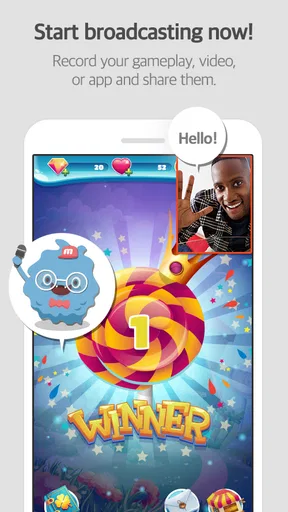
- Supports facecam overlays for reactions and tutorial videos.
- Includes basic editing tools for trimming and adding intro screens.
- Can save recordings locally without requiring a constant internet connection.
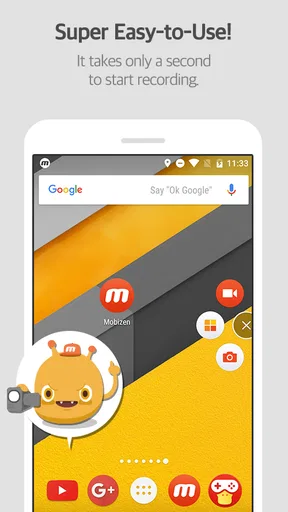
- Simple floating controls make starting and stopping recordings convenient.
Cons
- Some advanced features and assets require a premium subscription.
- Recording quality can vary depending on the Samsung model and Android version.
- Long sessions may consume considerable battery and storage space.
- Watermarks may appear on videos when using the free version.
- Background recording can be affected by aggressive battery-saving settings.
FAQs for Mobizen Recorder for Samsung
What is Mobizen Recorder for Samsung used for?
Mobizen Recorder for Samsung is a screen-recording app designed for capturing activity on compatible Samsung Android devices. You can use it to record gameplay, app demonstrations, video calls where permitted, tutorials, and other on-screen actions. Depending on the device and Android version, it may also support features such as face-cam recording, microphone audio, internal sound, screenshots, and basic editing tools.
Does Mobizen Recorder for Samsung record internal audio and microphone sound?
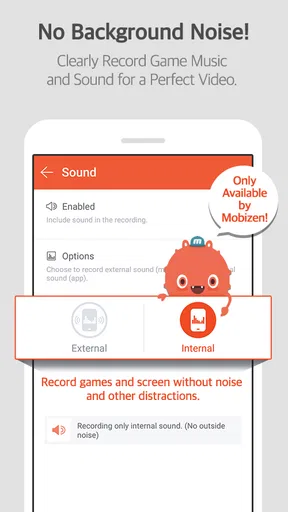
Audio options depend on your Samsung model, Android version, app permissions, and the recording settings available in your installation. Some devices allow internal media audio, microphone audio, or both, while others restrict simultaneous audio capture. Before recording important content, check the sound settings and make a short test recording, especially when recording games, voice commentary, tutorials, or video meetings.
Can I record games in high quality without affecting performance?
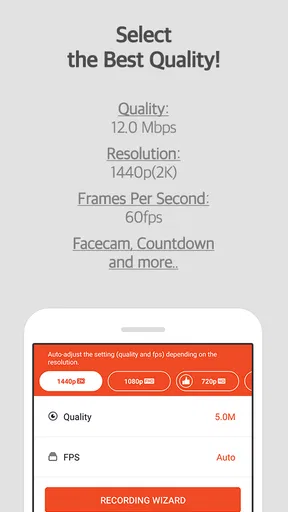
The app can be useful for recording gameplay, but the final quality and performance depend on your phone’s processor, available storage, display resolution, and the selected frame rate and video quality. Higher settings create larger files and may increase battery use, heat, or lag. If a game becomes unstable, try lowering the resolution or frame rate and closing unnecessary background apps.
Is Mobizen Recorder for Samsung free to download and use?
Mobizen Recorder for Samsung may be available to install without an upfront purchase, but the exact experience can vary by version, region, and distribution channel. Free use may include advertising, branding, optional premium features, or in-app purchases. Review the listing and in-app purchase information before downloading, and confirm that you are installing the official version from a trusted app store.
Is it safe and legal to record videos, calls, or other apps with Mobizen?
The app requires permissions such as screen capture, microphone access, and storage or media access, so you should review them carefully and grant only what is necessary. Recording content is not automatically legal in every situation: copyrighted videos, private conversations, online classes, and calls may require permission or be restricted by local law or platform rules. Always respect privacy, consent, and copyright requirements.


